Stay safe. Follow procedures in the Operation Manual. Always use proper protective equipment, fully power down machines and use locks before service. Salford is not liable for injury or damage caused by improper maintenance or operation. Contact your Salford dealer for more information or support.
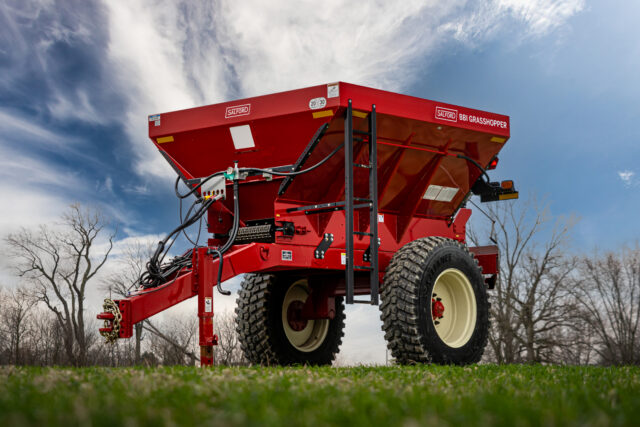
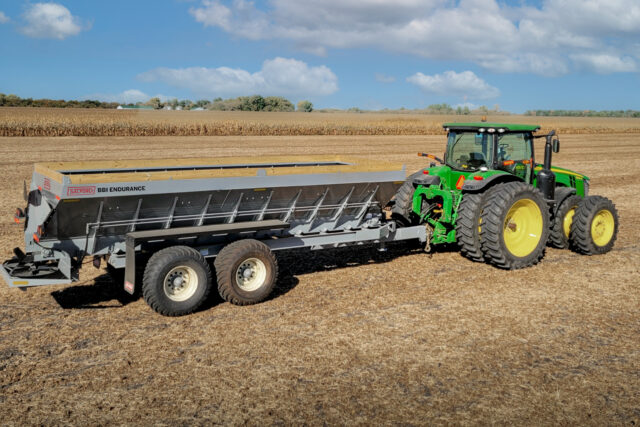
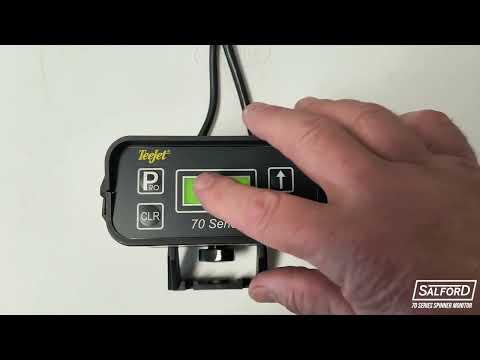
The TeeJet 70 Series Dual RPM Monitor is designed to provide accurate measurements of spinner speed on your BBI spreader. This ensures precise material distribution and optimal performance. In this guide, we will walk you through the setup and operation of the monitor so you can get the most out of your equipment.
What’s Included in the Kit?
The spinner monitor kit includes:
- Power cable – Runs from the battery to the monitor
- Monitor unit
- Cable – Connects the monitor to the left and right-hand spinner speed sensors
- Two spinner speed sensors
- Part #10097893 – Brackets – Secure the sensors in place
Additionally, there are two optional extension cables available if needed:
- Part #10091141 – A 10-foot extension from the monitor to the main cable
- Part #10110565 – A 10-foot extension from the main cable to the speed sensors
These extensions allow the TeeJet 70 Series Dual RPM Monitor to fit different tractor and spreader configurations.
Step-by Step Instructions
Setting Up the TeeJet 70 Series Monitor
1. Powering On the Monitor and Home Screen Operation
- To turn on the TeeJet 70 Series Dual RPM Monitor, press the Pro button located at the top left corner.
- When powered on, the software name and version number will be displayed.
- The home screen will appear, showing the individual spinner speeds for both the left- and right-hand spinners.
- From the home screen, you can click the down arrow to display the deviation percentage between the left- and right-hand spinner speeds.
- To turn the monitor off, click the up and down arrows simultaneously.
2. Navigating to the Program Menu
- To navigate to the program menu, click and hold the Pro button on the display for three seconds.
- From here you can set and adjust the following settings:
- Left-hand spinner setup
- Right-hand spinner setup
- RPM differential setup
- Alarm setup
- Clicking the up and down arrows will allow you to navigate through the program menu. When the desired setting is displayed on the screen, clicking the Pro button will open the setting and allow you to make adjustments.
- Clicking and holding the Pro button will return you to the home run screen.
3. Adjusting Settings
- Left- and right-hand spinner setup: opening this setting (the appropriate spinner is indicated by the arrow pointing to the left or right) will display a pulses per revolutions title with a number underneath. This number represents the number of set screws on the spinner that the sensor is using to determine spinner RPM. Ensure that the correct number is entered using the up and down arrows (typically 1 set screw is used on BBI spreaders) and then click the Pro button to confirm.
- RPM differential setup: opening this setting will allow you to set the differential percentage between the left- and right-hand spinner RPMs. Use the up and down arrows to adjust and once the desired value is entered, click the Pro button to confirm. If no alarm is desired, leave this setting at 0%.
Alarm setup: opening these settings will allow you to adjust alarms for the upper and lower limits on both the left- and right-hand spinners. These can be adjusted using the up and down arrows and then when the desired value is displayed, click the Pro button which will cycle to the next adjustment until all four setting have been adjusted. If no alarm is desired, set the value to zero.
Troubleshooting and Tips
- If the monitor does not turn on, check the power cable connection and battery voltage.
- Ensure the sensors are securely mounted and aligned properly for accurate readings.
- If inconsistent spinner speed readings occur, inspect the sensor cables for damage or loose connections.
- Regularly clean the sensors to prevent dust and debris buildup, which can affect performance.
The TeeJet 70 Series Dual RPM Monitor is an essential tool for ensuring even material spread and consistent performance of your BBI spreader. By following these steps for setup and operation, you will maximize efficiency and accuracy for each broadcast application.
For more detailed instructions, check out our YouTube video on the TeeJet 70 Series Dual RPM Monitor for your BBI Spreader. Don’t forget to subscribe to our channel for more helpful videos.
For additional support, contact your Salford dealer or visit the Salford Connect Portal.